
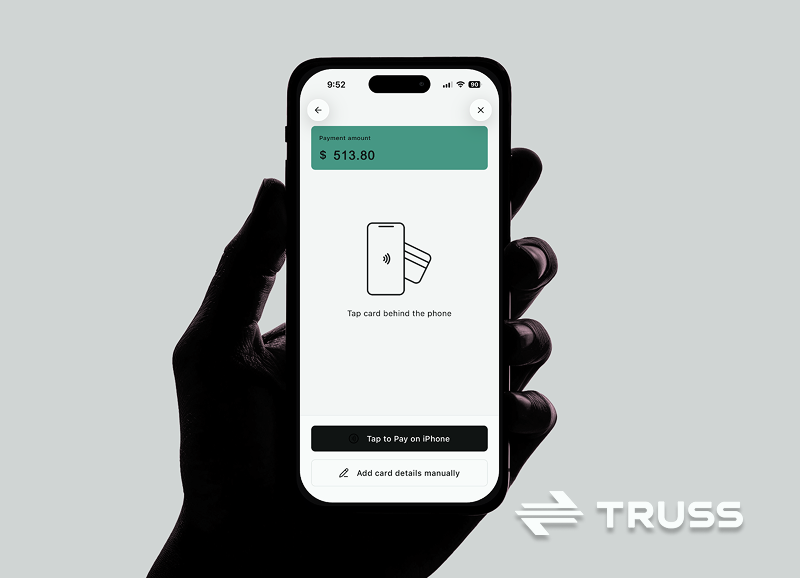
Job sites move fast and money has to move even faster. When a change order gets approved on the spot, or a final walk through ends with a customer ready to pay, you do not want paperwork or a trip to the bank slowing down payroll or your next material order. Tap to Pay at Truss Payments lets contractors collect contactless payments on site, so you get paid sooner and your crew stays focused on the job.
What Tap to Pay is and how it works at job sites
Tap to Pay is a feature in the Truss mobile app that turns your phone into a contactless card reader. Your customer taps their card, phone, or smartwatch on your phone, and the payment goes through. On a job site the flow is simple: open the Truss app, enter the amount, and have the customer tap. The payment lands in your Truss account with the rest of your payments.
Benefits of Tap to Pay for construction businesses
Tap to Pay lets you collect the moment the work is approved instead of waiting on a check.
- Get paid on the spot. Collect deposits, change orders, and final payments before you leave the site. No chasing an invoice for weeks.
- No extra hardware. Your phone is the terminal. There is no card reader to buy, charge, or lose in the truck.
- Fewer bounced checks. Card and mobile wallet payments authorize in seconds, so you know the money is coming before you pack up.
- One place for your money. Tap to Pay payments land in Truss alongside your invoices, bill pay, and cards, so you are not logging into another tool.
- A more professional close. Customers pay the way they already pay everywhere else.
How Tap to Pay integrates with Truss Payments services
Tap to Pay is part of the same Truss account you use to get paid, pay bills, and manage cards. Use it alongside the other ways to collect on the Get Paid page, and move funds into your Truss account for everyday use. Pair Tap to Pay with crew Charge Cards to control spending and track receipts, or use Pay Subs & Vendors to manage outgoing payments. Money in and money out stays in one place, which saves admin time.
Step by step guide to getting started with Tap to Pay at Truss
- Download the Truss app and sign in to your Truss account.
- Open Tap to Pay in the app. The first time, review and accept the Tap to Pay terms.
- Enter the amount you are collecting.
- Have your customer tap. They hold their card, phone, or watch against your phone until the payment confirms.
If you want help getting set up, book a meeting with the Truss team.
Real world use cases
- Remodelers collect the deposit at the kitchen table the day the contract is signed.
- Specialty trades like plumbing, HVAC, and electrical get paid before they drive to the next call.
- General contractors collect on change orders the moment the homeowner approves them, so extra work never turns into a collections problem.
- Service and repair crews close out small jobs on the spot instead of sending invoices that sit for 30 days.
Get started and learn more
Ready to collect on site? Sign up for Truss, download the app, and take your first Tap to Pay payment on your next job. For a walkthrough or questions, book a meeting with the Truss team.
Truss is a financial technology company and is not a bank. Banking services provided by Thread Bank, Member FDIC.
Popular reads.

Truss Partners with Thread Bank to Enhance Banking Solutions for Construction Companies

New look, new style, new name – same great product.
